Besides badges in the hero section that you’ve seen already, there is also a
dedicated <TestimonialsGrid> component to showcase positive user reviews.
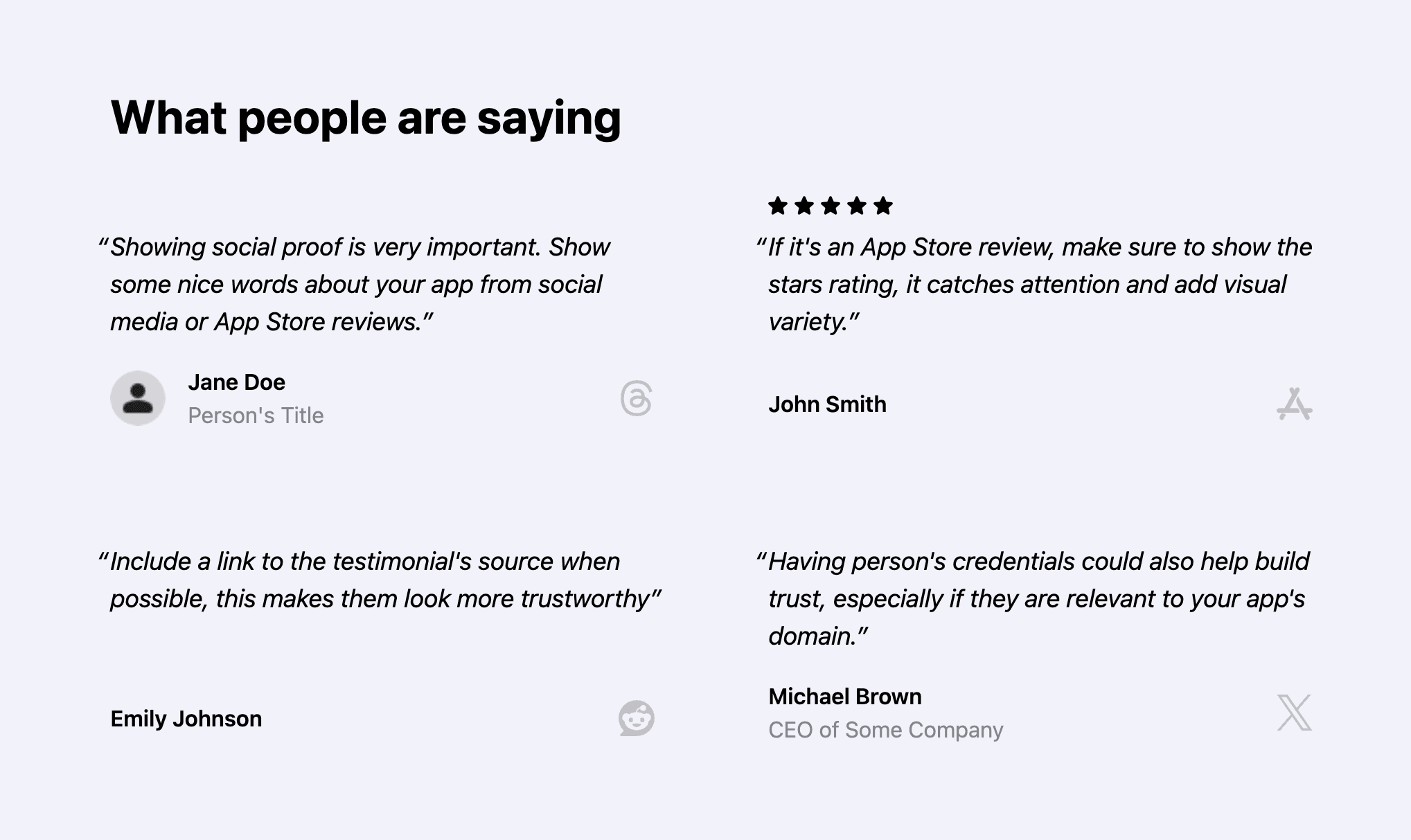
For a new app, this might not apply yet, so feel free to remove or comment out
the testimonials section inside app/(main)/page.tsx for now.
<Section title="What people are saying" navigationAnchor="testimonials">
  <TestimonialsGrid maxColumnCount={2}>...</TestimonialsGrid>
</Section>
Selecting the right testimonials
Make sure to highlight user reviews that mention specific benefits of your app and not just generic praise. It’s yet another way to communicate the value of your app to new people visiting your website.
Customizing testimonials
The testimonials grid is made of multiple <TestimonialsGrid.Testimonial>
components:
<TestimonialsGrid.Testimonial
  message="..."
  authorName="..."
  authorTitle="..."
  authorImageUrl="/profile_image.png"
  source="https://threads.com/..."
></TestimonialsGrid.Testimonial>
The only required properties are message and authorName, but make sure to
include the source of the review when possible for additional credibility.
For reviews coming from the App Store, there is no way to link to a specific
review. Use appStore as the source value:
source = "appStore";Optionally include starsRating={true} to show a 5-star rating above the
testimonial message. It adds a nice visual variety.
If you want to include the author’s profile image, put the image inside the
public/ folder and provide the path to it in the authorImageUrl property.
Make sure to check the
<TestimonialsGrid>
component reference to learn about all available customization options.
Arranging testimonials
By default testimonials are laid out in two columns, controlled by the
maxColumnCount property on the <TestimonialsGrid> component:
<TestimonialsGrid maxColumnCount={2}>Depending on the length of the review messages, you might want to adjust the column number so it looks balanced.
Also, try to make sure that testimonials of roughly similar length are placed in neighboring columns. This helps avoid awkward gaps in the grid.